
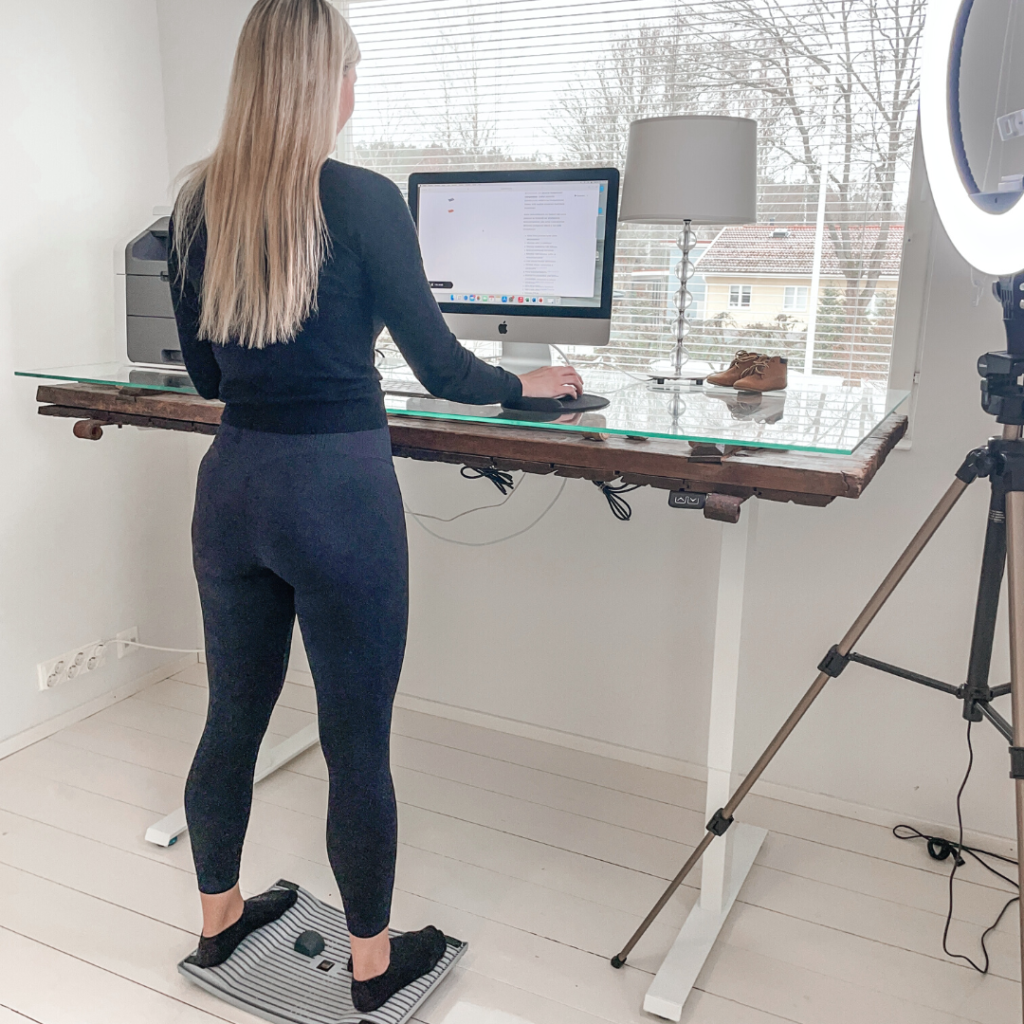
To relieve neck pain from working at a computer, start by correcting your posture and adjusting your workstation so your monitor is at eye level and your shoulders stay relaxed. Targeted stretches, regular movement breaks, and reducing prolonged static sitting are the most effective ways to ease existing pain and prevent it from returning. The sections below address each contributing factor in detail, from root causes to when professional help is the right call.
What causes neck pain when working at a computer?
Neck pain from computer work is primarily caused by sustained forward head posture, where the head drifts in front of the shoulders for long periods. For every inch the head moves forward, the effective load on the cervical spine increases significantly. Combine that with minimal movement, muscle tension from stress, and a poorly arranged workstation, and the conditions for chronic neck discomfort are firmly in place.
Several specific factors drive this pain:
- Forward head posture: Looking down at a screen or craning toward a monitor that is too far away forces the neck muscles to work harder than they should.
- Prolonged static position: Holding any position for too long, even a technically correct one, causes muscle fatigue and stiffness.
- Shoulder tension: Hunched or raised shoulders restrict blood flow and compress the muscles at the base of the neck.
- Screen glare and poor lighting: These cause you to unconsciously tilt or turn your head to see better, creating asymmetric strain.
- Desk job sedentary patterns: A desk job that offers few natural movement cues allows tension to accumulate without release throughout the day.
Neck pain rarely has a single cause. It is usually the cumulative result of several of these factors working together over weeks or months.
How does sitting posture affect neck pain at a desk?
Poor sitting posture is one of the most direct contributors to neck pain at a desk. When you slump or round your lower back, the entire spine compensates, pushing the upper back into a curve and the head forward. This chain reaction means that lower back pain and neck pain often share the same postural root, even though they feel like separate problems.
Ideal seated posture for reducing neck strain involves:
- Feet flat on the floor or on a footrest
- Hips slightly higher than or level with the knees
- Lower back supported with a gentle inward curve maintained
- Shoulders relaxed and drawn back slightly, not hunched forward
- Ears aligned vertically over the shoulders, not jutting forward
Even with perfect posture, staying seated in one position for hours creates its own problems. Muscles fatigue, circulation slows, and the risk of leg swelling increases. This is why posture correction alone is not enough. Movement throughout the day is equally important.
What are the best stretches to relieve computer neck pain?
The most effective stretches for computer neck pain target the muscles that tighten during prolonged screen use: the upper trapezius, the levator scapulae, the suboccipitals at the base of the skull, and the chest muscles that pull the shoulders forward. Performing these stretches every 60 to 90 minutes provides the most consistent relief.
Neck and upper trapezius stretches
Sit or stand tall and gently tilt your right ear toward your right shoulder. Place your right hand lightly on top of your head for a mild additional stretch. Hold for 20 to 30 seconds and repeat on the left side. For the upper trapezius, reach your right hand behind your back while tilting your head away. This targets the muscle that runs from your neck to your shoulder and is often the primary source of shoulder pain in desk workers.
Chest opening and upper back stretches
Clasp your hands behind your back, gently squeeze your shoulder blades together, and lift your chest. Hold for 15 to 20 seconds. This counteracts the forward rounding that compresses the neck. A mobility tool like the Gymba Stretching Stick can make upper body stretches easier to perform correctly, especially for people who spend most of the day seated. Chin tucks, where you gently draw your chin straight back to create a double chin, are also highly effective for retraining head position and relieving suboccipital tension.
How should your monitor and desk be set up to prevent neck pain?
Your monitor should be positioned so that the top of the screen is at or just below eye level, roughly an arm’s length away. This keeps your gaze slightly downward at a natural angle, reducing the need to tilt your head up or crane your neck forward. A monitor that is too low is one of the most common ergonomic mistakes in both office and home office setups.
Key workstation ergonomics for neck pain prevention:
- Monitor height: Top of screen at eye level or 2 to 3 centimetres below
- Monitor distance: Roughly 50 to 70 centimetres from your eyes, adjusted for your vision
- Laptop users: Use a Gymba® Laptop Stand ergonomic screen riser to bring the screen to eye level, then connect an external keyboard and mouse
- Dual monitor setup: Place the primary monitor directly in front of you; avoid turning your head repeatedly to one side
- Keyboard and mouse position: Elbows should be at roughly 90 degrees, wrists neutral, to prevent shoulder tension that travels up to the neck
Laptop use without a stand is a particularly common driver of neck pain, especially in home office environments. Raising the screen to eye level with an ergonomic laptop stand immediately reduces the forward head angle that causes strain.
Does standing while working help with neck pain?
Standing while working can help with neck pain when it is used to break up prolonged sitting, but it is not a cure on its own. The key benefit of a height-adjustable desk is that it allows you to alternate between sitting and standing throughout the day, preventing the static muscle fatigue that builds up when you hold any one position for too long. Movement, not simply standing, is what makes the difference.
When standing at a desk, the same ergonomic principles apply: monitor at eye level, shoulders relaxed, weight distributed evenly. Standing on an active surface, such as a Gymba® Board active standing platform that encourages subtle shifting and weight transfer, adds gentle movement that improves circulation and reduces the tension that accumulates in the neck and upper back during static work. This kind of low-level movement also helps counteract leg swelling that can develop during long sedentary periods.
A practical approach is to aim for roughly 20 to 30 minutes of standing for every hour of sitting, adjusting based on how your body responds. Standing for too long without movement creates its own strain, so the goal is variation rather than replacing one static posture with another.
When should you see a doctor about neck pain from computer use?
Most neck pain from computer use is postural and responds well to stretching, ergonomic adjustments, and increased movement. However, you should see a doctor if your neck pain is accompanied by numbness, tingling, or weakness in your arms or hands, as these can indicate nerve involvement. Pain that radiates into the shoulder or down the arm, or that does not improve after two to three weeks of self-care, also warrants professional evaluation.
Seek prompt medical attention if you experience:
- Neck pain following an injury or accident
- Severe pain that wakes you from sleep
- Numbness or weakness in the arms, hands, or fingers
- Headaches that originate at the base of the skull and radiate forward
- Loss of bladder or bowel control alongside neck or back pain (this requires emergency care)
A physiotherapist or occupational health specialist can also help if your pain is persistent but not severe. They can assess your movement patterns, identify specific muscle imbalances, and provide a targeted rehabilitation plan. Addressing neck pain early, before it becomes chronic, leads to significantly better outcomes and less disruption to your work and daily life ergonomic solutions.
Improve your workstation ergonomics and reduce neck pain
If this article has helped you identify what is driving your neck pain, the next step is making practical changes to your workspace. Whether that means raising your laptop screen, introducing more movement into your day, or exploring active standing solutions, small adjustments consistently applied make a real difference over time. Browse the ergonomic tools at Gymba to find products designed around how people actually work — and start building a setup that supports your body rather than straining it.