
Remote work has become a permanent fixture for millions of people, yet most home offices are built around convenience rather than health. A kitchen chair pulled up to a dining table, a laptop balanced on a coffee table, or a monitor positioned wherever there happens to be space — these arrangements feel harmless in the short term, but over weeks and months they quietly add up to real physical problems. Getting home office ergonomics right is not about buying expensive furniture or redesigning a room. It is about understanding a few core principles and applying them consistently, even in a compact or improvised space.
This guide walks through the most common mistakes remote workers make, what a properly configured workstation actually requires, and how small daily habits can make a meaningful difference to long-term comfort and productivity.
The most common home office mistakes that cause pain
Most home office discomfort traces back to a handful of predictable errors that are easy to overlook precisely because they feel fine at first. The problems only surface after weeks of repetition, by which point the habits are already ingrained.
Working with a laptop screen at desk level is one of the most widespread issues. When the screen sits too low, the head tilts forward and downward, placing significant strain on the neck and upper back. Over a full working day, this posture compresses the cervical spine and tightens the muscles across the shoulders. Similarly, using a laptop keyboard while the screen is raised to the correct eye height creates the opposite problem — the wrists are forced into an awkward angle. These two issues together explain why so many remote workers develop neck and shoulder pain at work within months of switching to a home setup.
Sitting for unbroken stretches of several hours is another major contributor to discomfort. Unlike a structured office environment where meetings, commutes, and colleague interactions naturally interrupt sitting time, home offices can trap people in a single position for hours without any natural prompt to move. Poor chair height, insufficient lumbar support, and screens placed too far to one side round out the most common culprits behind chronic remote work pain.
Key elements every ergonomic home workstation needs
A well-configured ergonomic home workstation does not require a complete overhaul — but it does require attention to a specific set of fundamentals that work together as a system.
Screen position and eye level
The top of the monitor or laptop screen should sit roughly at eye level, so the gaze falls naturally slightly downward when reading. This keeps the neck in a neutral position throughout the day. For laptop users, a dedicated laptop stand is one of the most cost-effective ergonomic investments available. Our Gymba® Läppäriteline, for example, raises the screen to the correct height with two adjustable tilt angles, improving posture and reducing eye and neck strain — while its open design keeps the device ventilated during long sessions.
An external keyboard and mouse become necessary once the screen is elevated, allowing the arms to rest comfortably at desk height with elbows at roughly a 90-degree angle. This separation of screen and input devices is the foundation of good laptop ergonomics.
Desk and chair configuration
The desk surface should sit at a height where the forearms rest parallel to the floor when typing. The chair should support the lower back and allow the feet to rest flat on the floor or on a footrest. Thighs should be roughly parallel to the ground, with no pressure behind the knees. These adjustments are straightforward to make and dramatically reduce the cumulative strain that builds up over a working week.
How active standing transforms remote work health
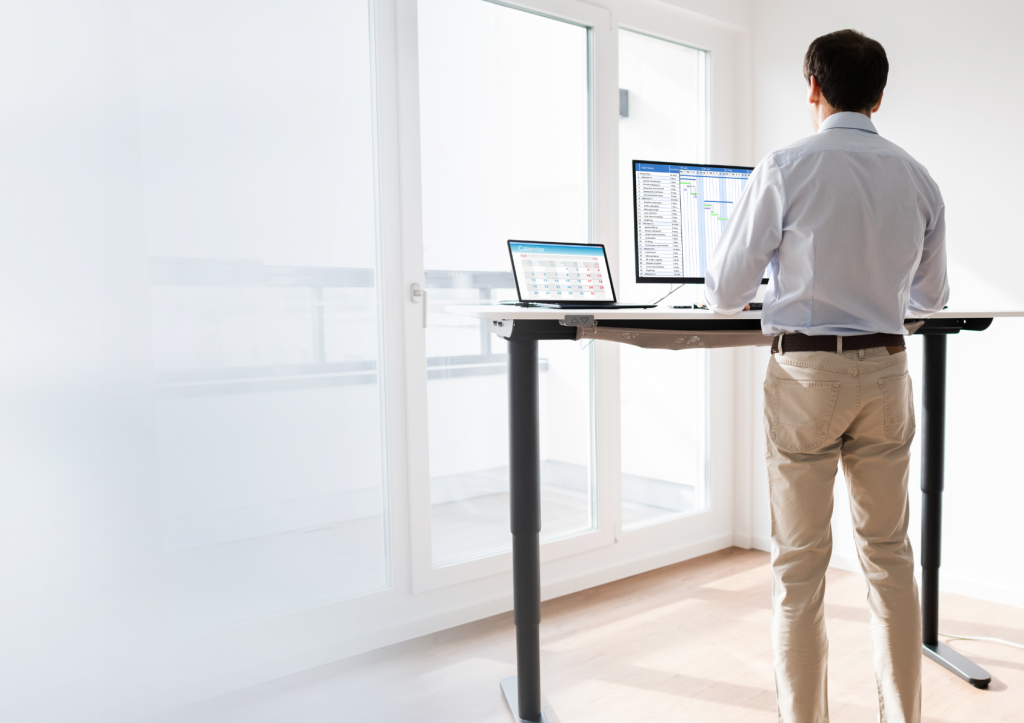
Sitting less is one of the most evidence-backed ways to improve long-term health outcomes for desk workers, and height-adjustable desks have made alternating between sitting and standing a realistic option for home offices. But standing still for long periods carries its own risks — fatigue, leg discomfort, and reduced circulation — which is where active standing becomes genuinely transformative.
Active standing means introducing subtle, continuous movement while working upright rather than remaining static. Products like the Gymba® Board activation board are designed specifically for this purpose. The board’s patented cross-spring mechanism allows the user to shift weight and move in a way that mimics natural walking, stimulating circulation and engaging the muscles of the feet, calves, and core without interrupting concentration. Used at a standing desk, it turns what would otherwise be passive standing into a dynamic activity that keeps the body engaged throughout the day. The board also doubles as a foot massage tool and a stretching aid, making it a genuinely versatile addition to a home workstation.
The key principle behind active standing is that the body is designed for movement, not for holding any single position — whether sitting or standing — for extended periods. Alternating between seated work and active standing in roughly 30 to 60 minute blocks is a practical rhythm that most remote workers find sustainable and noticeably beneficial.
Fitting an ergonomic setup into a small home space
Limited space is one of the most common reasons people delay improving their home office ergonomics, but a well-designed setup does not require a dedicated room or a large footprint. The most effective ergonomic products for home use are compact, portable, and designed to integrate into existing furniture rather than replace it.
A laptop stand takes up minimal desk space and can be folded away when not in use. An activation board or balance board sits on the floor beneath a standing desk and requires no permanent installation. A foot massage roller like the Gymba MassageBar fits under a desk and can be used during seated work to improve circulation and ease tension in the feet and lower legs — a simple addition that delivers meaningful physical benefit in very little space.
For those working from a shared living area or a small apartment, the portability of these tools is particularly valuable. Lightweight and easy to move, they can be set up and stored quickly, making it practical to maintain an ergonomic routine even without a permanent dedicated workspace. The goal is to build a setup that works within the actual constraints of the space rather than waiting for ideal conditions that may never arrive.
Daily habits that reinforce good home office ergonomics
Even the best-configured workstation loses its effectiveness without consistent habits to support it. The physical setup creates the conditions for good ergonomics, but daily routines are what actually protect the body over time.
Movement breaks are the single most impactful habit to build. Setting a timer to stand, stretch, or walk briefly every 45 to 60 minutes interrupts the cumulative strain of static posture and keeps circulation active. These breaks do not need to be long — even two to three minutes of movement is enough to reset muscle tension and restore alertness. Tools like the Gymba Stretching Stick make it easy to perform upper body mobility exercises at the desk without needing additional space or a separate workout session, making it simple to stay active even during a busy workday.
Foot care is an often overlooked element of the home office routine. Long hours of sitting reduce circulation to the lower legs and feet, contributing to fatigue and discomfort by the end of the day. Rolling the foot over a massage tool for a few minutes during or after work improves circulation, relieves tension, and supports recovery — a small investment of time with a noticeable effect on how the body feels by evening.
Finally, building a consistent start-of-day check-in around workstation setup pays dividends over time. Before beginning work, taking 30 seconds to confirm that the screen is at the right height, the chair is properly adjusted, and the keyboard and mouse are positioned correctly means these fundamentals stay in place rather than gradually drifting back toward old habits. Good home office ergonomics is not a one-time configuration — it is a practice that improves with repetition and attention. Browse the full range of ergonomic home office products to find the right tools for your setup.
Find the right ergonomic home office products for your setup
If this guide has prompted you to take a closer look at your own workspace, the next step is straightforward. Gymba® offers a range of compact, practical ergonomic tools — from the Gymba® Laptop Stand and Gymba® Board to foot massage and stretching accessories — designed to work within real home office conditions. Browse the full product range, find what fits your space and working style, and start building a setup that genuinely supports your body through the working day. Explore Gymba® ergonomic products here.