
You can fix shoulder pain caused by poor desk ergonomics by adjusting your monitor height, repositioning your keyboard and mouse, and correcting your sitting posture so your shoulders stay relaxed and your arms rest at a natural angle. Most desk-related shoulder pain responds well to workstation changes combined with regular movement and targeted stretching. Below, we break down the most common causes, practical fixes, and when to seek professional help.
What desk ergonomics mistakes actually cause shoulder pain?
The most common desk ergonomics mistakes that cause shoulder pain are a monitor positioned too low or too high, a keyboard or mouse placed too far away, and a chair that does not support a neutral posture. These errors force your shoulders into sustained tension, which strains the muscles, tendons, and joints over hours of desk work.
When your screen sits below eye level, you naturally round your upper back and let your shoulders roll forward. Over time, this compresses the muscles around the rotator cuff and upper trapezius. When your monitor is too high, you raise your chin and tense your shoulder girdle to compensate. Either position creates the same result: chronic neck pain, shoulder pain, and upper back discomfort that builds gradually and is easy to dismiss until it becomes persistent.
Mouse placement is another frequent culprit. Reaching forward or to the side to use a mouse keeps your shoulder in an elevated, externally rotated position for long stretches. The same applies to a keyboard that forces your elbows to flare outward rather than rest close to your body. Poor armrest height compounds the problem further. Armrests set too high push your shoulders upward all day, while armrests set too low leave your arms unsupported and your shoulder muscles working constantly to hold the weight of your arms.
Finally, a chair without adequate lumbar support encourages a slumped posture that collapses the thoracic spine. When the mid-back rounds, the shoulder blades wing outward and lose their stable base, placing extra load on the smaller stabilizing muscles of the shoulder joint.
How do you adjust your workstation to relieve shoulder pain?
To relieve shoulder pain, adjust your workstation so your monitor is at eye level, your elbows rest at roughly 90 degrees with your arms close to your body, and your keyboard and mouse are within easy reach without stretching. These three adjustments remove the most common mechanical causes of shoulder strain at a desk.
Monitor and screen position
Position the top of your screen at or just below eye level, roughly an arm’s length away. This keeps your head balanced over your spine rather than tilting forward or backward. If you use a laptop, a dedicated laptop stand is one of the most effective ergonomic investments you can make. Our Soporte para portátil 3 en 1 raises your screen to the correct height and allows you to choose between two tilt angles, reducing neck and shoulder strain significantly compared to working on a flat surface.
Keyboard, mouse, and armrest alignment
Place your keyboard and mouse close enough that your elbows stay near your sides and your forearms are roughly parallel to the floor. Your wrists should be neutral, not bent upward or downward. Set your armrests to support your forearms lightly without pushing your shoulders up toward your ears. If your chair has no armrests or they cannot be adjusted, consider a chair pad or desk attachment that provides forearm support at the correct height.
Check your chair height as well. Your feet should rest flat on the floor or on a footrest, and your hips should be level with or slightly above your knees. A properly set chair height creates the foundation for every other adjustment to work correctly.
Does standing at a desk help with shoulder pain?
Standing at a desk can help with shoulder pain, but only if your standing posture and workstation setup are correct. Simply switching from sitting to standing does not automatically relieve shoulder tension. The monitor height, keyboard position, and your tendency to shift weight or lock your knees all determine whether standing helps or creates new problems.
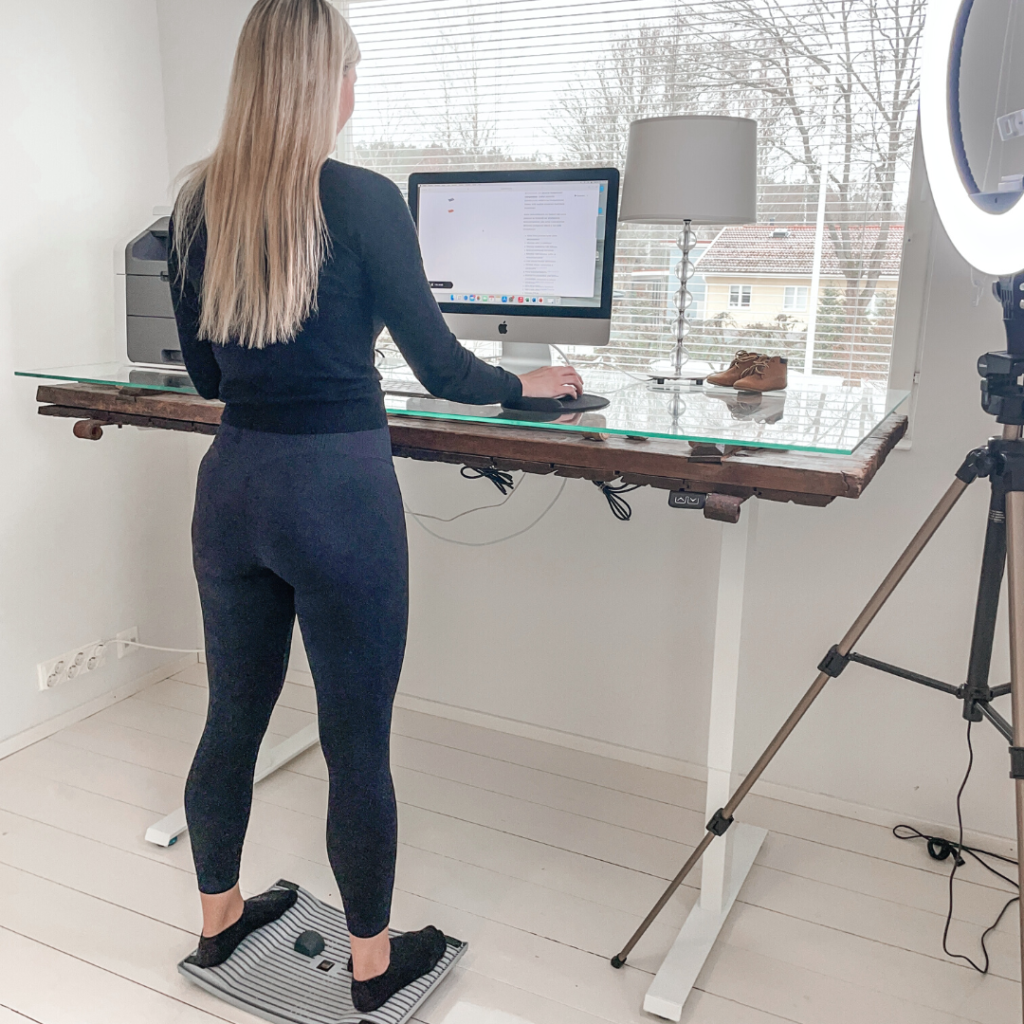
When you stand with your screen at eye level and your keyboard at elbow height, your shoulders naturally settle into a more neutral position than the forward-rounded posture that prolonged sitting encourages. Standing also increases overall muscle activation across the back and core, which provides better support for the shoulder girdle.
The key is dynamic standing rather than static standing. Standing completely still for long periods creates its own muscular fatigue and can lead to swelling of the legs and lower back pain. Small, continuous movements while standing keep circulation flowing and prevent the same kind of static loading that causes problems when sitting. An activation board used at a standing desk encourages subtle weight shifts and walking-like movements that keep the body engaged without interrupting your work. This approach makes standing genuinely beneficial rather than just a change of position.
Alternate between sitting and standing throughout the day rather than committing to one or the other. A general guideline is to change position at least once every 45 to 60 minutes.
What exercises relieve shoulder pain from desk work?
The exercises most effective for relieving shoulder pain from desk work are chest openers, shoulder blade retractions, neck stretches, and thoracic spine mobility movements. These target the muscles that become shortened and overloaded through prolonged forward-leaning postures at a desk.
- Chest opener stretch: Clasp your hands behind your back, gently squeeze your shoulder blades together, and lift your chest. Hold for 20 to 30 seconds. This counteracts the forward rounding of the shoulders that desk posture creates.
- Shoulder blade retraction: Sit or stand tall, then squeeze your shoulder blades toward your spine and hold for five seconds. Release and repeat ten times. This reactivates the mid-back muscles that become underused during desk work.
- Neck side stretch: Gently tilt your ear toward your shoulder and hold for 20 seconds on each side. This releases the upper trapezius, one of the primary muscles responsible for shoulder and neck pain in desk workers.
- Thoracic extension over a chair back: Sit near the edge of your chair, place your hands behind your head, and gently arch your upper back over the top of the chair. This mobilizes the mid-spine and relieves compression that contributes to shoulder tension.
- Arm circles and shoulder rolls: Simple, low-intensity movements done every hour help prevent stiffness from accumulating. Roll your shoulders backward ten times and perform small arm circles to restore circulation to the shoulder joint.
A stretching stick is a practical tool for upper body mobility work, particularly for opening the chest and shoulders. The Gymba Stretching Stick is designed specifically for upper body mobility exercises and is compact enough to keep at your desk, making it easy to stretch during short breaks without leaving your workspace. You can explore the full range of ergonomic desk wellness products available to support your workstation setup.
Consistency matters more than intensity here. Brief movement breaks every 45 to 60 minutes are more effective at managing desk-related shoulder pain than a single long stretching session at the end of the day.
When should shoulder pain from desk work see a professional?
You should see a professional for shoulder pain from desk work when the pain is persistent for more than two to three weeks despite ergonomic adjustments and regular stretching, when it radiates down your arm, or when you notice weakness, numbness, or tingling. These signs suggest the issue goes beyond muscle fatigue and may involve a nerve, tendon, or joint that needs clinical assessment.
A physiotherapist or occupational therapist is usually the right first step. They can identify whether your pain originates in the shoulder joint itself, the cervical spine, or the surrounding soft tissue, and they can provide a targeted rehabilitation plan. A general practitioner can rule out underlying conditions and refer you to a specialist if needed.
Do not delay seeking help if any of the following apply:
- Pain that wakes you from sleep or is present constantly, not just during or after desk work
- Visible swelling, bruising, or deformity around the shoulder joint
- Significant restriction in your range of motion that has developed over a short period
- Pain that has not responded at all to two weeks of consistent ergonomic changes and movement breaks
- Numbness or tingling that extends into the hand or fingers
Ergonomic improvements and exercise are effective preventive and management tools, but they are not substitutes for professional diagnosis when symptoms are severe or persistent. Acting early typically leads to faster recovery and reduces the risk of a short-term issue becoming a long-term problem. Browse the Gymba ergonomics online store to find tools that support better posture and shoulder health at your desk.
Start building a more comfortable, shoulder-friendly workstation
If this article has helped you identify what is causing your shoulder pain, the next step is putting those changes into practice. Whether that means adjusting your monitor height, adding an ergonomic balance board mini to your standing desk, or picking up a stretching stick to use during breaks, small improvements to your workstation add up quickly. Gymba offers a range of ergonomic products designed to support exactly these kinds of changes. Visit the Gymba ergonomics online store to find the right tools for your setup and start working more comfortably today.