
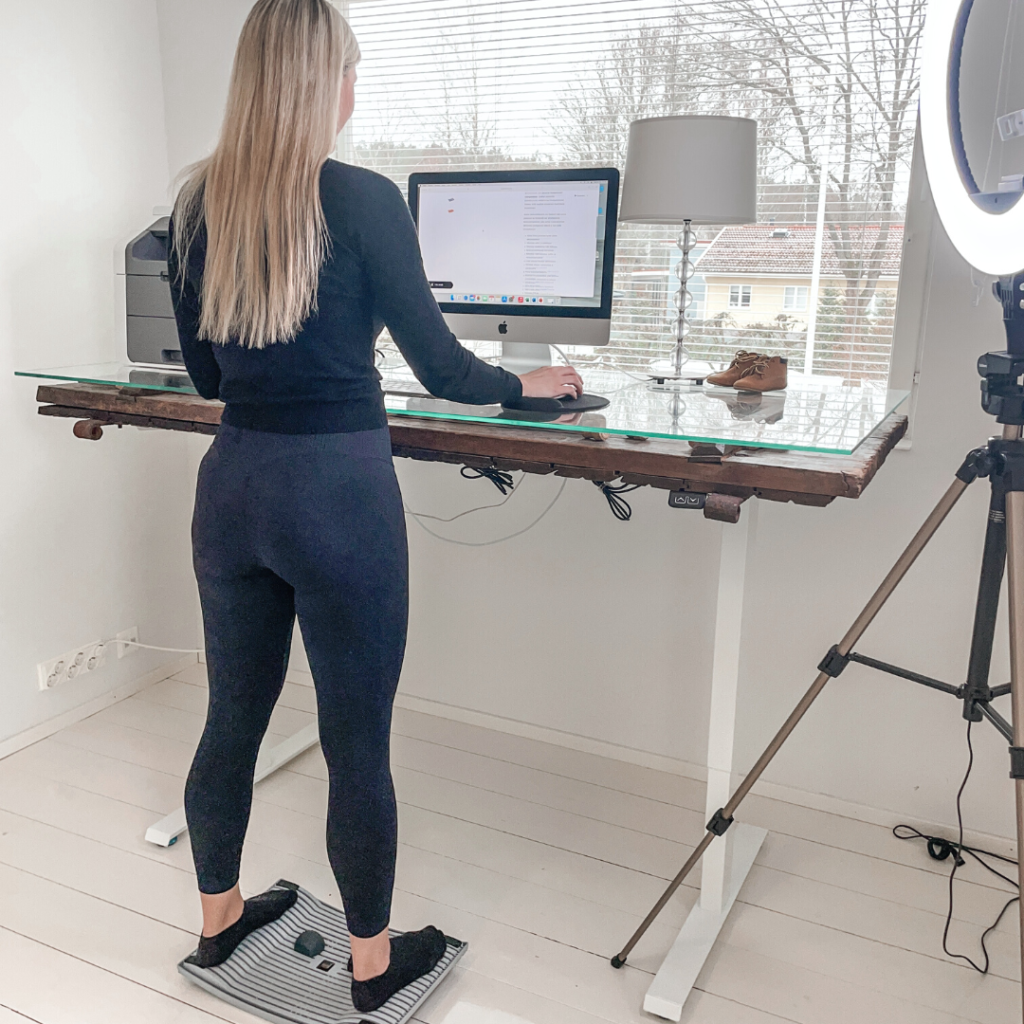
Working from home, studying or spending long hours at a screen can make it easy to settle into uncomfortable positions. You may find yourself leaning towards your laptop, rounding your shoulders or staying still for hours. Improving your home office ergonomics starts with a workspace that fits you and habits that make movement part of your day.
You do not need a complete office renovation to get started. Practical ergonomic accessories, a few workstation adjustments and regular movement breaks can help you work more comfortably.
This guide explains common causes of poor posture at home, how ergonomic products can support a more comfortable setup and which everyday changes are worth making.
What Causes Poor Posture When Working from Home?
An uncomfortable working posture often reflects your surroundings rather than a lack of effort. If your screen, chair or keyboard is awkwardly positioned, you may lean, reach or tilt your head to get your work done.
Common workstation problems include:
- A screen positioned too high or too low, encouraging you to tilt your head.
- A chair or desk that does not fit your needs, leaving your back, feet or arms unsupported.
- A keyboard or mouse placed too far away, making you reach forward.
- Using a laptop directly on a desk for extended periods, making it difficult to position both the screen and keyboard comfortably.
- Too little variation in your working position, even when the initial setup feels comfortable.
There is no single perfect posture that suits everyone. A good home office setup should support comfortable positions and allow you to change them throughout the day.
How Ergonomic Products Support Better Working Posture
Ergonomic products can make it easier to arrange your workspace around your body. They do not automatically correct posture or replace movement, but they can help address practical problems such as a low laptop screen or prolonged static standing.
Different accessories serve different purposes. A laptop stand changes screen height, while a standing desk board introduces movement during standing tasks. Mobility tools can make short exercise breaks more convenient.
The goal is to create a workspace that supports both comfort and variety. Even with a well-adjusted workstation, changing position and stepping away from the screen remain important.
Ergonomic Products for Your Home Office
Choose ergonomic accessories based on the problems you want to solve. Start by assessing your existing desk, chair and working habits rather than buying several products at once.
A Laptop Stand for a More Comfortable Screen Height
A laptop stand raises your screen so you can view it without constantly looking down. The Soporte para portátil 3 en 1 is lightweight and compact, making it practical for a dedicated home office or a workspace that needs to be packed away after use. It also functions as a tablet stand.
For extended laptop work, use a separate keyboard and mouse. This allows you to raise the screen while keeping your hands at a comfortable working height. Position the top of the screen at or slightly below eye level, adjusting it to suit your vision and posture.
An Activation Board for Standing Desk Movement
A standing desk gives you another working position, but standing still can also become tiring. The Gymba® Activation Board is designed to introduce gentle, walking-like movement while you stand.
Its patented cross-flexibility allows the board to move beneath your feet, encouraging you to shift your weight. The board can also be used for calf stretching and comes with massage balls for foot massage.
Introduce the board gradually and alternate its use with sitting, standing on a stable surface and walking breaks. Choose a pace and duration that feel comfortable.
A Stretching Stick for Movement Breaks
Keeping a mobility tool near your desk can make it easier to take a short movement break. A stretching stick provides a handhold for controlled upper-body exercises, such as gentle shoulder movements.
Gymba describes its Stretching Stick as a tool for upper-body mobility exercises during the working day. Use a comfortable range of motion and follow the exercise instructions rather than forcing a stretch.
How to Set Up an Ergonomic Home Workstation
Start with the equipment you use most often. Your screen should be easy to read, your keyboard and mouse should be within comfortable reach, and your chair should support your back.
Use this checklist to review your home office setup:
- Adjust your screen position. Place it directly in front of you, with the top at or slightly below eye level. Increase text size if you need to lean forward to read.
- Keep your keyboard and mouse close. Your shoulders should feel relaxed, with your elbows near your body.
- Support your back and feet. Adjust your chair so your feet rest on the floor or a footrest and your lower back feels supported.
- Leave space to move. Keep the area beneath your desk clear so you can reposition your legs.
- Check the whole setup after each adjustment. Raising your chair, for example, may change the support your feet need.
A comfortable workstation is personal. Make small adjustments and assess how they feel during your normal tasks.
Build Movement into Your Working Day
Better home office ergonomics involves more than equipment. A supportive chair or raised screen will not remove the need to move.
Try making these habits part of your routine:
- Change position regularly instead of holding yourself rigidly upright.
- Stand up and walk during natural breaks between tasks.
- Alternate suitable tasks between sitting and standing if your setup allows.
- Include gentle hand, shoulder and upper-body movements during breaks.
- Adjust your chair or backrest when you need a different supported position.
These changes add variety to a day otherwise spent in one position. An activation board or mobility tool can complement the routine, while walking breaks give you time away from the workstation.
How to Tell Whether Your Home Office Setup Is Working Better
Assess your setup by how well it supports your tasks. Can you read the screen without leaning forward? Can you reach the keyboard without lifting your shoulders? Do you have enough room to change position?
Useful signs of a better-fitting workstation include:
- Your screen is easy to view without repeatedly tilting your head.
- Your shoulders feel relaxed while typing.
- Your back and feet have comfortable support.
- You can move between working positions easily.
- Your equipment stays within reach without excessive stretching or twisting.
Focus on comfort, adjustability and movement rather than trying to maintain a perfect-looking posture all day. Start with one practical change, assess the result and build a routine that suits your working day.
Explore Gymba’s ergonomic products to find practical ways to improve your home office setup and add movement to desk work.