
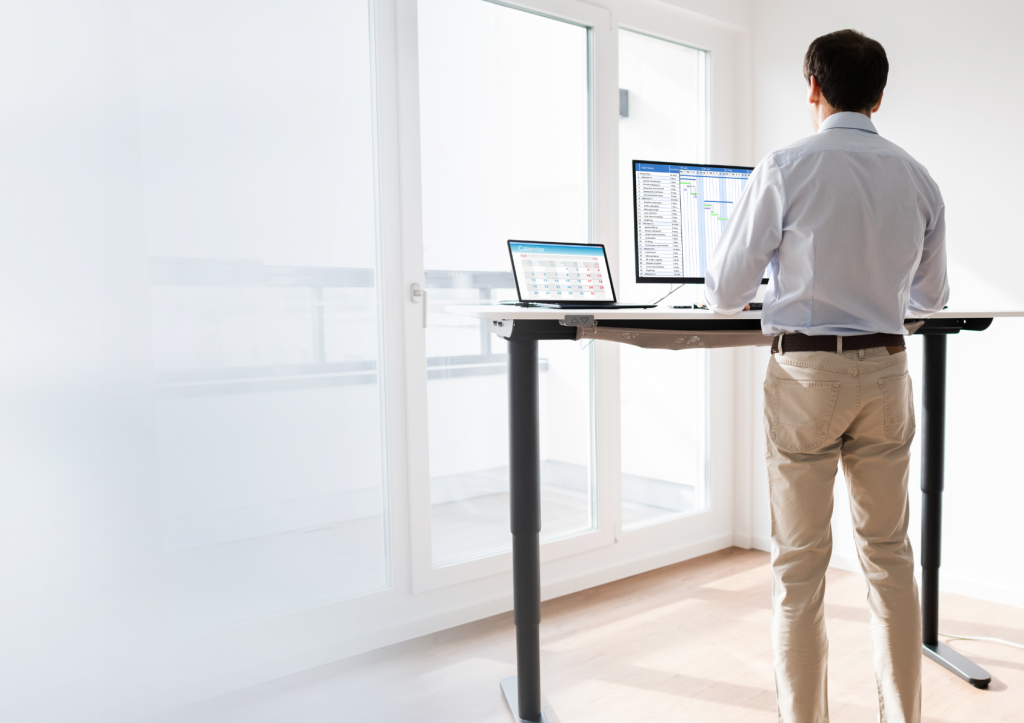
Remote work has fundamentally changed how millions of people spend their working hours, but one thing that hasn’t automatically improved alongside the flexibility is the physical environment in which that work happens. Kitchen tables, sofas, and makeshift desk setups have become the daily reality for a huge number of remote workers, and the consequences for long-term health are quietly significant. Home office ergonomics is not a luxury consideration reserved for large corporate budgets. It is the structural foundation that determines whether remote work supports or undermines physical well-being over time.
Whether working from home full-time or splitting time between the office and home, getting the ergonomic setup right makes a measurable difference to comfort, focus, and long-term health. This guide walks through the core principles, the most common pitfalls, and practical ways to build a genuinely supportive home workspace.
How poor home office setups silently damage your health
The damage caused by a poor home office setup rarely announces itself loudly. Instead, it accumulates gradually through small, repeated stresses on the body that go largely unnoticed until they become chronic problems. A monitor positioned too low encourages the head to tilt forward, placing significant strain on the cervical spine. A chair without proper lumbar support causes the lower back to round over hours, compressing spinal discs and fatiguing postural muscles.
What makes home setups particularly risky is the absence of the environmental cues that typically prompt movement in a traditional office. Without colleagues walking past, meetings in other rooms, or even a commute to break the day, remote workers often sit in one position for far longer stretches than they realise. Over time, this sustained static posture contributes to reduced circulation, increased muscle tension, and a higher likelihood of developing musculoskeletal complaints. neck and shoulder pain at work is one of the most common outcomes, and it is almost always preventable with the right setup and habits in place from the start.
Key ergonomic principles every remote worker should apply
Good home office ergonomics rests on a small number of principles that, when applied consistently, dramatically reduce physical strain during the working day. The starting point is alignment: the body should be positioned so that its natural curves are supported rather than forced into compensation.
Screen height and distance
The top of the monitor should sit at or just below eye level, with the screen roughly an arm’s length away. This keeps the neck in a neutral position and reduces the eye strain that comes from constantly adjusting focus across varying distances. Laptop users face a particular challenge here, since the screen and keyboard are fixed together. A laptop stand that raises the screen to the correct height, paired with a separate keyboard and mouse, resolves this immediately.
Seating and posture
A well-adjusted chair supports the lower back and allows the feet to rest flat on the floor with the knees at roughly a 90-degree angle. Armrests, when used, should allow the shoulders to remain relaxed rather than elevated. The goal is a position that requires minimal muscular effort to maintain, reducing fatigue across the full working day.
Keyboard and mouse placement
Input devices should be positioned so that the elbows stay close to the body and the wrists remain roughly neutral, neither bent upward nor angled downward during typing. Small adjustments here have an outsized effect on reducing tension in the forearms and wrists over long working sessions.
Why a sit-stand desk changes the remote work equation
Alternating between sitting and standing throughout the day is one of the most evidence-supported strategies for reducing the physical toll of desk-based work. A sit-stand desk makes this practical by allowing smooth transitions without disrupting workflow, which means the habit actually gets maintained rather than abandoned after a few days.
The real benefit of a height-adjustable desk is not standing more. It is moving more. Switching between positions encourages circulation, engages different muscle groups, and prevents the postural stagnation that builds up during prolonged sitting. When paired with an ergonomic product designed for active standing, such as an activation board that allows subtle weight shifting and walking-like movement, the effect is amplified further. Our Gymba® Board active standing solution is designed precisely for this purpose: it supports dynamic standing by enabling small, continuous movements at the desk, which improve circulation, posture, and concentration without interrupting work.
For remote workers who have already invested in a sit-stand desk, the next step is ensuring that standing time is genuinely active rather than simply a different form of static posture. The quality of standing matters as much as the fact of standing.
Common home office ergonomics mistakes to avoid
Even remote workers who are aware of ergonomic principles often make the same recurring mistakes that undermine their setup. Recognising these patterns is the first step toward correcting them.
- Working from the sofa or bed: Soft, unsupported surfaces encourage spinal flexion and make it nearly impossible to maintain neutral alignment for any meaningful period.
- Using a laptop directly on a desk without a stand: This forces the neck into a downward position for hours at a time, which is one of the leading causes of upper back and neck discomfort among remote workers.
- Ignoring foot support: When a chair is adjusted to the correct height for a desk, the feet may not reach the floor comfortably. A footrest, or a product that provides foot engagement, solves this without compromising the rest of the setup.
- Forgetting to take movement breaks: Even a well-configured ergonomic workspace cannot fully compensate for hours of uninterrupted sitting. Regular, short breaks that involve standing, walking, or gentle stretching are a non-negotiable part of a healthy remote work routine.
- Placing the screen off to one side: A monitor that is not directly in front of the user causes repeated neck rotation throughout the day, creating cumulative strain on the cervical spine.
Many of these mistakes are easy to correct once identified, and the improvement in daily comfort is often noticeable within the first week of making changes.
Building an ergonomic home office on any budget
A common misconception about home office ergonomics is that meaningful improvement requires significant financial investment. In reality, a thoughtful approach to the existing setup can address the most impactful issues without a complete overhaul.
Start with the elements that have the greatest effect on posture and strain. Raising the laptop or monitor to eye level costs very little and immediately reduces neck load. A rolled towel or small cushion placed at the lower back provides basic lumbar support when a proper ergonomic chair is not available. Positioning the keyboard and mouse at a height that keeps the elbows at roughly 90 degrees can often be achieved by adjusting the chair height and adding a simple footrest if needed.
As budget allows, targeted ergonomic products deliver compounding returns. A quality laptop stand, for example, transforms a standard laptop into a far more ergonomically sound workstation. Tools for foot engagement and active standing, such as a foot massage roller or Gymba® Balance Board MINI for active standing, add movement to the working day without requiring any additional time or space. These are incremental investments that build toward a comprehensive setup over time rather than requiring everything at once.
The most important shift is in mindset: treating the home office as a health environment rather than just a functional workspace. In 2026, with remote and hybrid work firmly established as a long-term reality, the question is no longer whether to invest in home office ergonomics. It is where to start. Beginning with the highest-impact changes and building from there is a strategy that works regardless of budget, and the benefits compound with every improvement made. Explore the full range of ergonomic home office products available to support every stage of building a healthier workspace.
Ready to build a healthier home office ergonomics setup?
If this guide has helped you identify gaps in your current workspace, the next step is straightforward. Browse the full range of ergonomic home office products at Gymba Ergonomics to find the solutions that fit your situation and budget. Whether you are starting with a laptop stand or adding an active standing board to an existing sit-stand desk, each improvement builds on the last — and your body will notice the difference sooner than you might expect.