
Working from home has become a permanent fixture of modern professional life, and for millions of people, that means spending eight or more hours a day at a kitchen table, a spare-room desk, or a makeshift setup that was never designed with the body in mind. The problem with this arrangement runs deeper than comfort. Poor home office ergonomics creates a slow-building physical toll that most people only notice once the damage is already done. Understanding why the home environment is particularly risky, and what to do about it, is one of the most practical investments any remote worker can make in 2026.
This article walks through the core reasons prolonged sitting in a poorly designed workspace causes lasting harm, the ergonomic principles that genuinely make a difference, and the tools and habits that support a healthier, more active workday.
How a home setup silently worsens posture and pain
Most home workspaces are assembled from whatever is available rather than what is appropriate. A dining chair that sits too high, a laptop placed flat on a table, or a monitor angled slightly to one side might seem like minor inconveniences. Over the course of a full workday, however, these small misalignments force the body into compensatory postures that accumulate strain across the neck, shoulders, lower back, and hips.
Unlike a corporate office environment where ergonomic assessments are sometimes conducted and adjustable furniture is provided, the home worker is largely on their own. There is no desk setup review, no adjustable monitor arm already installed, and no reminder to take breaks. The result is that poor posture becomes habitual without the worker realising it. Shoulders round forward, the chin protrudes toward the screen, and the lumbar spine loses its natural curve. These patterns, once established, do not correct themselves simply by finishing work for the day.
What prolonged sitting does to the body over time
Sitting for long, uninterrupted periods places the body in a state of sustained muscular inactivity that has measurable consequences for circulation, joint health, and metabolic function. When the large muscle groups in the legs and core are inactive for hours, blood flow slows, and tissues that depend on movement for nourishment become compressed and undernourished.
The spine is particularly vulnerable. Intervertebral discs rely on movement to absorb fluid and nutrients, and prolonged static postures reduce this exchange. Over time, this contributes to disc degeneration and chronic lower back pain. The hip flexors, which remain shortened in a seated position, can become persistently tight, affecting walking mechanics and contributing to discomfort even away from the desk. Neck and shoulder tension frequently develop as the head tilts forward to view a screen, with each centimetre of forward head posture significantly increasing the load on the cervical spine. Learning how to prevent neck and shoulder pain before it becomes chronic is far easier than managing it once it has taken hold.
Core ergonomic principles every home worker needs
Effective home office ergonomics is not about buying expensive furniture. It is about aligning the workspace to the body rather than forcing the body to adapt to the workspace. A handful of foundational principles make the greatest difference. Exploring the full range of ergonomic workspace products available can help identify the right combination of tools for your specific setup.
Screen and keyboard positioning
The monitor or laptop screen should be positioned so that the top of the screen is roughly at eye level, allowing the gaze to fall slightly downward without the chin dropping or the neck extending. Laptops used directly on a desk surface make this nearly impossible, which is why a Gymba® Laptop Stand for screen elevation is one of the most impactful changes a home worker can make. Pairing a raised screen with an external keyboard and mouse allows the shoulders to relax and the elbows to rest at approximately 90 degrees.
Chair and desk height
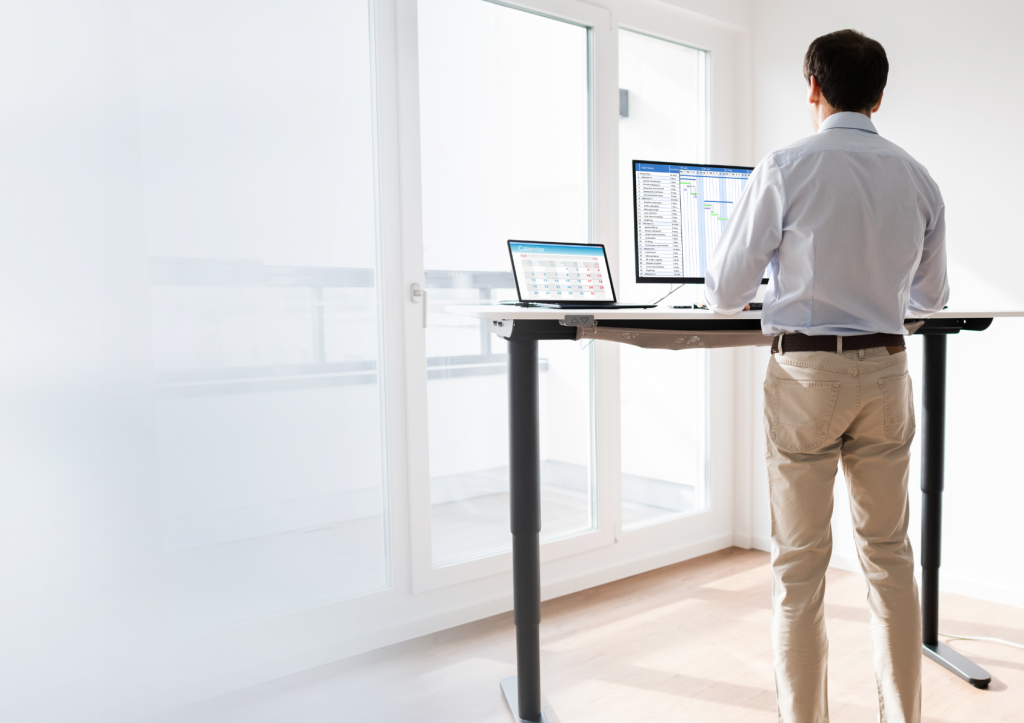
The feet should rest flat on the floor with the knees at roughly hip height. If the desk is too high, the shoulders will creep upward to compensate. If the chair is too low, the hips will tilt posteriorly, flattening the lumbar curve. For those using a sit-stand desk, alternating between seated and standing positions throughout the day is far more effective than remaining in either position for extended periods.
Lighting and distance
Screen glare and poor ambient lighting force the eyes to work harder, which leads to unconscious postural adjustments as the body leans toward or away from the screen. Positioning the monitor perpendicular to windows and ensuring adequate room lighting reduces eye strain and helps maintain a consistent seated distance of around 50 to 70 centimetres from the screen.
How active workstation tools reduce sedentary harm
Even a perfectly arranged static workstation leaves the body in one position for too long. The most effective approach to reducing sedentary harm is introducing purposeful movement into the workday itself, not just before or after it.
Active workstation tools are designed to encourage small, continuous movements while working. A balance or activation board placed underfoot while standing at a height-adjustable desk, for example, prompts the body to make subtle postural adjustments that engage the legs, core, and stabilising muscles. This micro-movement improves circulation, reduces the fatigue associated with static standing, and keeps the body more alert throughout the day. Our Gymba® Board with patented cross-spring mechanism is built around exactly this principle, using a patented cross-spring mechanism that mimics the natural motion of walking, making it possible to stay active even during focused work tasks.
Foot massage tools, such as a wooden massage roller used underfoot during seated or standing work, support circulation and relieve tension in the plantar fascia, which bears a significant load over the course of a long workday. These are not luxury additions but practical supports that address the physical realities of desk-based work. A compact option like the Gymba® Balance Board MINI for smaller spaces offers similar movement benefits in a more space-efficient format.
Simple habits that make ergonomic improvements last
Ergonomic products and a well-arranged workspace create the conditions for healthier working, but habits determine whether those conditions are actually used. The most effective habits are small, regular, and easy to maintain without disrupting workflow.
Movement breaks taken every 45 to 60 minutes are more beneficial than a single long break at lunchtime. Standing up, walking a short distance, or performing a few shoulder rolls and neck stretches resets muscular tension and restores circulation. A stretching stick or mobility tool kept at the desk makes it easy to perform a brief upper-body mobility sequence without leaving the workspace, which significantly increases the likelihood that it will actually happen.
Varying working positions across the day, alternating between sitting and standing if a height-adjustable desk is available, is one of the most evidence-supported strategies for reducing the risks associated with prolonged desk work. Pairing this with conscious attention to screen height and keyboard positioning during each transition reinforces good ergonomic habits rather than allowing them to drift over time.
Finally, treating the workday as a series of movement opportunities rather than a stretch of time to be endured in one position changes the relationship between work and physical wellbeing. Small changes, consistently applied, produce far greater long-term benefit than occasional large interventions. Building these habits now, rather than waiting for pain to signal the need for change, is what makes home office ergonomics genuinely protective rather than merely reactive. Browse the full collection of active ergonomic tools at the Gymba store to find the right starting point for your setup.
Ready to Build a Home Office That Works for Your Body?
If this article has prompted you to take a closer look at your own workspace, the next step is straightforward. Gymba offers a range of active ergonomic tools — from balance boards to laptop stands — designed specifically to help remote workers move more, sit smarter, and feel better across the working day. Browse the full collection at the Gymba store to find the tools that fit your space, your routine, and your body’s needs.