
Yes, improving ergonomics can significantly reduce neck pain from desk work. Poor workstation setup forces the muscles of the neck and upper back to hold the head in a strained position for hours, which is a primary driver of tension and discomfort. The sections below address the most common questions about neck pain, desk ergonomics, and what you can do to feel better at work.
What actually causes neck pain during desk work?
Neck pain during desk work is caused by sustained muscle tension in the cervical spine and surrounding muscles. When you hold your head in a fixed position for extended periods, particularly with the chin jutting forward or the head tilted downward, the muscles of the neck and upper shoulders must work continuously to support the weight of your head. Over time, this creates fatigue, tightness, and pain.
The human head weighs roughly as much as a bowling ball. When it sits directly over the spine, the load is distributed efficiently. But for every degree the head tilts forward, the effective load on the cervical spine increases substantially. This is why people who spend hours looking down at a screen or hunching toward a keyboard so often develop persistent neck discomfort, even without any underlying injury.
Other contributing factors include shallow breathing patterns that develop with poor posture, reduced blood flow to tight muscles, and the absence of natural movement breaks throughout the day. Neck pain from desk work is rarely the result of a single cause but rather the cumulative effect of sustained poor positioning.
How does poor ergonomics contribute to neck and shoulder tension?
Poor ergonomics contributes to neck and shoulder tension by placing the body in positions that require constant muscular effort to maintain. When a monitor is too low, too high, or off to one side, the neck must compensate by rotating, tilting, or extending beyond its neutral range. When a chair or desk height is wrong, the shoulders tend to round forward, pulling on the muscles that connect the neck to the upper back.
Shoulder pain and neck pain are closely linked because many of the muscles in this region are shared. The trapezius, levator scapulae, and rhomboids all run between the neck and shoulder girdle. Chronic tension in any one of them tends to spread to the others. A poorly positioned keyboard that forces the shoulders upward or inward, for example, will eventually create referred tension in the neck even if the monitor itself is positioned correctly.
Home office setups are particularly prone to these issues. Working from a kitchen table, a sofa, or with a laptop flat on a desk creates a cascade of compensations that the body was not designed to sustain for eight or more hours a day. The result is a pattern of tension that builds gradually and becomes harder to resolve the longer it is left unaddressed. You can explore ergonomic products for desk workers designed to support better positioning throughout the day.
Which ergonomic adjustments have the biggest impact on neck pain?
The ergonomic adjustments with the greatest impact on neck pain are monitor height, monitor distance, and keyboard and mouse positioning. Getting these three elements right removes the most common mechanical stressors that drive neck and shoulder discomfort at the desk.
- Monitor height: The top of your screen should be at or just below eye level so your gaze angles slightly downward without requiring you to drop your chin. A screen that sits too low is one of the most frequent causes of forward head posture and neck strain.
- Monitor distance: Position the screen roughly an arm’s length away. Too close forces you to lean in; too far causes you to crane forward to read.
- Keyboard and mouse placement: Both should allow your elbows to rest close to your body at roughly a 90-degree angle, with shoulders relaxed and not elevated.
- Chair support: Lumbar support that maintains the natural curve of the lower back also prevents slouching, which leads to upper back and neck strain.
- Laptop screen elevation: Laptop users face a specific challenge because the screen and keyboard are fixed together. Raising the laptop to the correct screen height with a stand and using an external keyboard resolves this conflict. Our Gymba® Laptop Stand is designed precisely for this purpose, allowing you to set the screen at the right angle without compromising your posture.
Does standing at a desk help reduce neck pain?
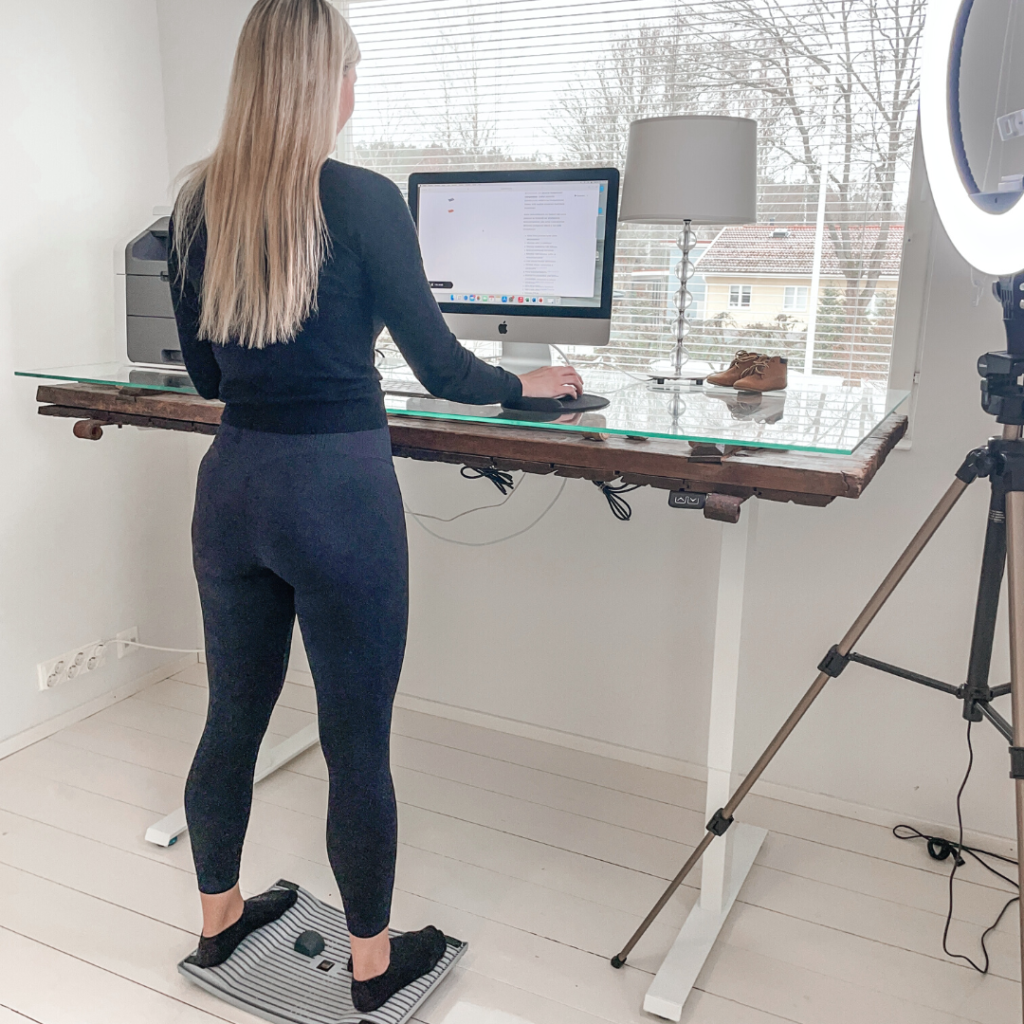
Standing at a desk can help reduce neck pain, but only when the standing workstation is set up correctly and used in combination with movement rather than as a static replacement for sitting. The key benefit of a height-adjustable desk is that it allows you to alternate between sitting and standing, which reduces the cumulative load on any one set of muscles and encourages postural variety throughout the day.
When standing, the desk surface should be at elbow height, the monitor should remain at eye level, and the body should not lock into a rigid upright position. Static standing with poor posture can produce its own form of neck and shoulder tension, so the goal is dynamic, active standing rather than simply exchanging one fixed position for another.
Active standing tools that encourage subtle movement at the workstation are particularly effective here. Small, continuous shifts in weight and position keep the muscles of the lower limbs, core, and back engaged, which in turn supports better overall posture and reduces the tension that accumulates in the neck and shoulders during long work sessions. The Gymba® Board is designed for exactly this kind of use, enabling gentle movement patterns that mimic walking while you work at a standing desk.
How often should you move to prevent neck pain at a desk?
To prevent neck pain at a desk, you should aim to change position or take a brief movement break every 30 to 45 minutes. Prolonged static posture, whether sitting or standing, is a key driver of muscular tension and reduced circulation in the neck and upper back. Regular movement interrupts this cycle before tension has a chance to accumulate.
Movement breaks do not need to be long or elaborate. Even standing up, rolling the shoulders back, or performing a few neck stretches for 60 to 90 seconds is enough to reset the muscles and restore circulation. The important principle is consistency rather than intensity. A short break every 45 minutes is far more effective than a single 10-minute walk at the end of the day.
Building movement into your workflow rather than treating it as an interruption makes this easier to sustain. Setting a timer, using a sit-stand desk on a rotation schedule, or keeping a mobility tool like a stretching stick at your workstation can serve as useful physical reminders to move. The Gymba Stretching Stick, for instance, is designed to support upper body mobility and posture resets during the workday without requiring you to leave your desk area. The Gymba® Balance Board MINI is another compact option for introducing gentle movement at your workstation throughout the day.
When should desk-related neck pain be assessed by a professional?
Desk-related neck pain should be assessed by a professional when it persists beyond two to three weeks despite ergonomic adjustments and regular movement breaks, when it is accompanied by radiating pain, numbness, or tingling into the arms or hands, or when it significantly interferes with your ability to work or sleep. These signs suggest the issue may involve nerve irritation or structural factors that require clinical evaluation.
A physiotherapist or occupational health professional can assess both the physical presentation of the pain and your workstation setup. In many cases, a combination of hands-on treatment and targeted ergonomic changes produces faster and more lasting relief than either approach alone.
It is also worth seeking professional guidance earlier rather than later if your neck pain recurs. Repeated episodes of desk-related pain that resolve and return suggest an underlying postural pattern that ergonomic changes alone may not fully correct. A professional assessment can identify the specific compensations driving the cycle and provide a more targeted plan for addressing them, including exercises, posture cues, and workstation modifications suited to your individual situation.
Ready to build a workstation that supports your neck and posture?
Small changes to your workstation setup can make a meaningful difference to how your neck and shoulders feel at the end of a working day. If you are ready to take the next step, the Gymba® range of ergonomic products covers everything from laptop stands and balance boards to active standing tools — all designed to help desk workers move better and sit smarter. Browse the full range to find the right fit for your workspace and working style.